Authorities disrupted botnets built from millions of connected devices
THE BRIEF
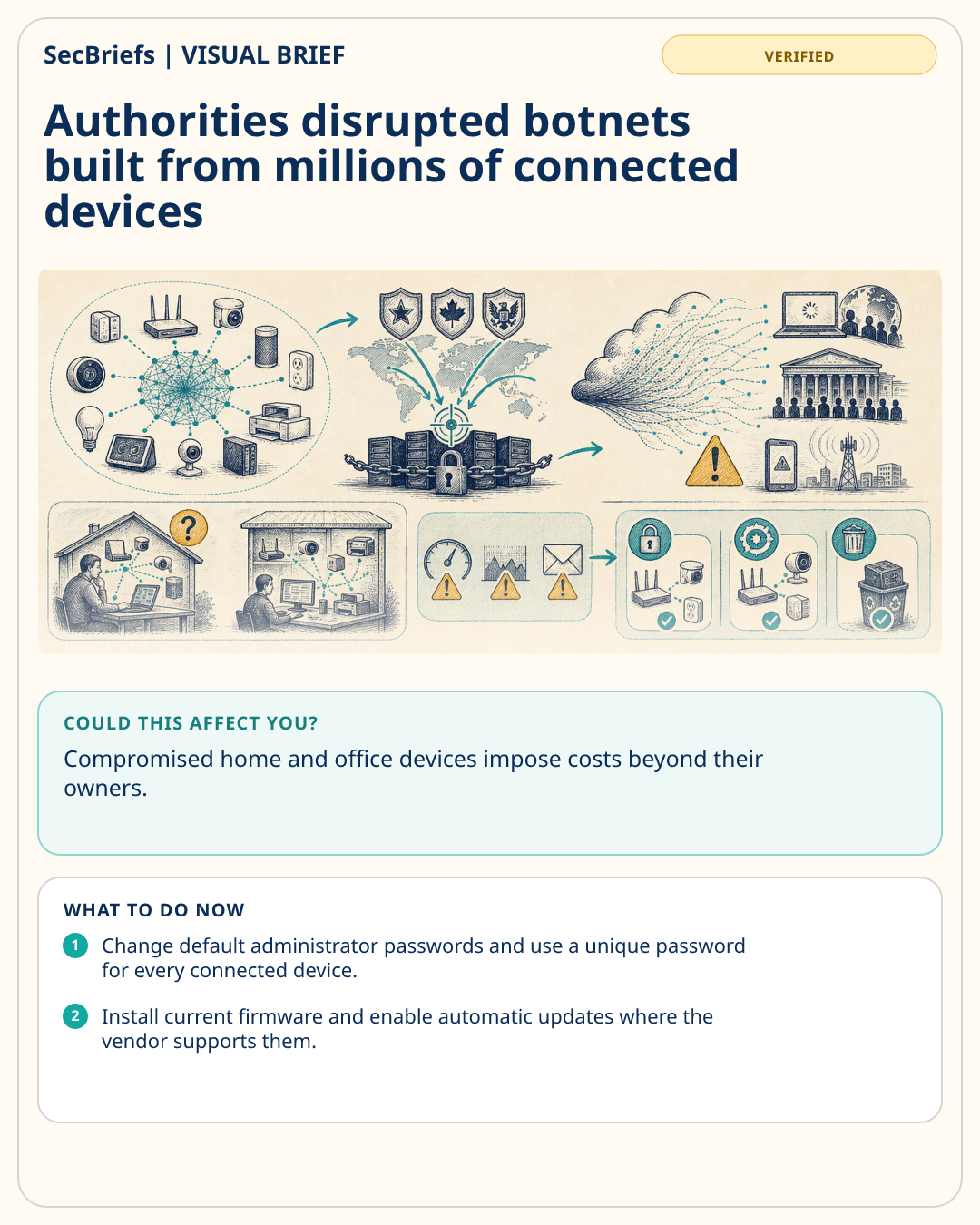
The operation targeted infrastructure associated with Aisuru, Kimwolf, JackSkid and Mossad. US authorities said the networks included more than three million devices and were used for distributed denial-of-service attacks, which overwhelm websites or online services with traffic. Investigators also described extortion and damage linked to the attacks. KrebsOnSecurity reported that authorities seized domains and issued commands designed to remove or disable malicious control. International disruption can reduce immediate capacity, but it does not automatically repair every vulnerable router, camera or other device. Equipment with weak passwords, exposed management interfaces or outdated software may be recruited again by a different operator. Households and small businesses rarely see a clear warning when a device becomes part of a botnet. Slower connections, unusual traffic or provider notices may be the only clues. Owners should therefore secure devices proactively, especially older equipment that no longer receives updates.
WHY IT MATTERS
Compromised home and office devices impose costs beyond their owners. Criminals can combine thousands of low-powered products into an attack capable of disrupting businesses, public services or communications. Law-enforcement takedowns matter, but they treat the command infrastructure rather than every insecure device. The durable defense is reducing the pool of equipment that can be recruited: change default credentials, remove unnecessary internet exposure and retire unsupported products. Service providers and manufacturers also need clear notifications so customers know whether a device was involved and what replacement or reset steps are required.
WHO SHOULD CARE
Households, small businesses, schools and offices using internet-connected cameras, routers or smart devices should care. Internet providers and device vendors also have a role because customers may not be able to identify botnet traffic or secure unsupported equipment without help.
WHAT TO DO NOW
- Change default administrator passwords and use a unique password for every connected device.
- Install current firmware and enable automatic updates where the vendor supports them.
- Disable remote management and internet-exposed services that are not required.
- Replace devices that no longer receive security updates.
- Review router device lists and investigate unknown equipment or provider abuse notices.