EvilTokens turns Microsoft device-code login into a phishing and BEC service
THE BRIEF
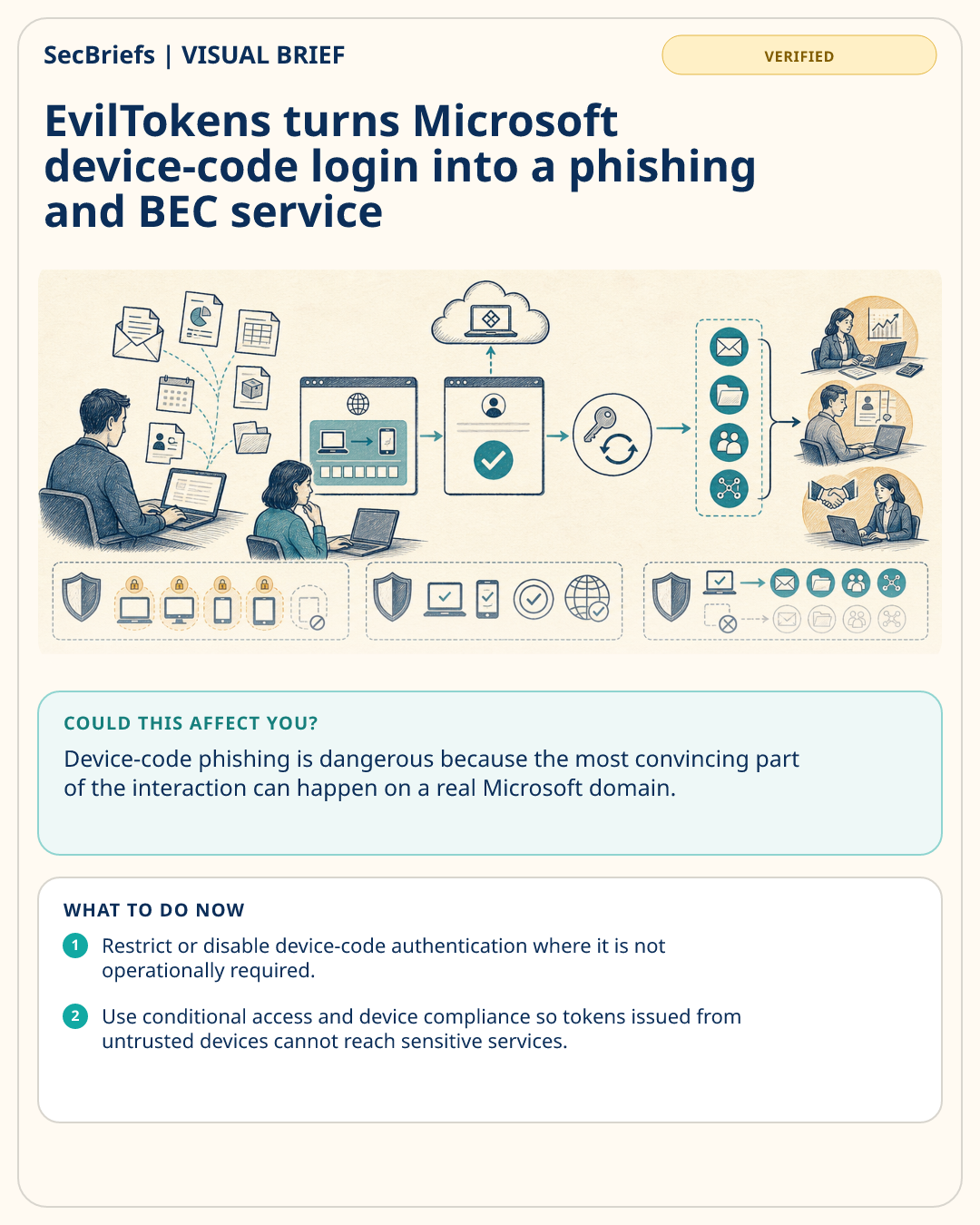
Researchers at Sekoia documented a phishing-as-a-service platform called EvilTokens that automates Microsoft device-code phishing and adds tooling designed for business email compromise. Victims receive lures in formats such as PDF, HTML, Office documents or SVG files, often themed as financial documents, meeting invitations, logistics notices, payroll messages or shared files. The phishing page presents a code and directs the victim to Microsoft’s legitimate device-login flow. The attacker has already requested that code from a legitimate Microsoft client, so when the victim authorizes it the attacker receives access and refresh tokens rather than merely stealing a password. Those tokens can provide access to email, files, Teams data and services connected through Microsoft single sign-on. Sekoia observed campaigns affecting multiple countries and said the service includes automation intended to support BEC activity. The same underlying technique has also been used by several previously documented threat groups.
WHY IT MATTERS
Device-code phishing is dangerous because the most convincing part of the interaction can happen on a real Microsoft domain. A user who has been trained to look for fake login pages may still approve a code presented by an attacker if the surrounding business story appears plausible. The defensive lesson is that identity controls must evaluate the device, session and authorization context, not just whether the user entered credentials on a legitimate website. Finance, HR and sales teams are especially attractive because account access can quickly become invoice fraud or internal impersonation.
WHO SHOULD CARE
Microsoft 365 administrators, identity teams, finance and HR functions, security-awareness leaders and organizations exposed to business email compromise should care. Business leaders overseeing payment approvals and vendor communications should also pay attention.
WHAT TO DO NOW
- Restrict or disable device-code authentication where it is not operationally required.
- Use conditional access and device compliance so tokens issued from untrusted devices cannot reach sensitive services.
- Train staff never to enter device codes supplied through unsolicited documents, calls or messages.
- Monitor for unusual device-code grants, new refresh tokens and anomalous mailbox or SharePoint activity.