PaperCut issues second emergency patch during active exploitation
THE BRIEF
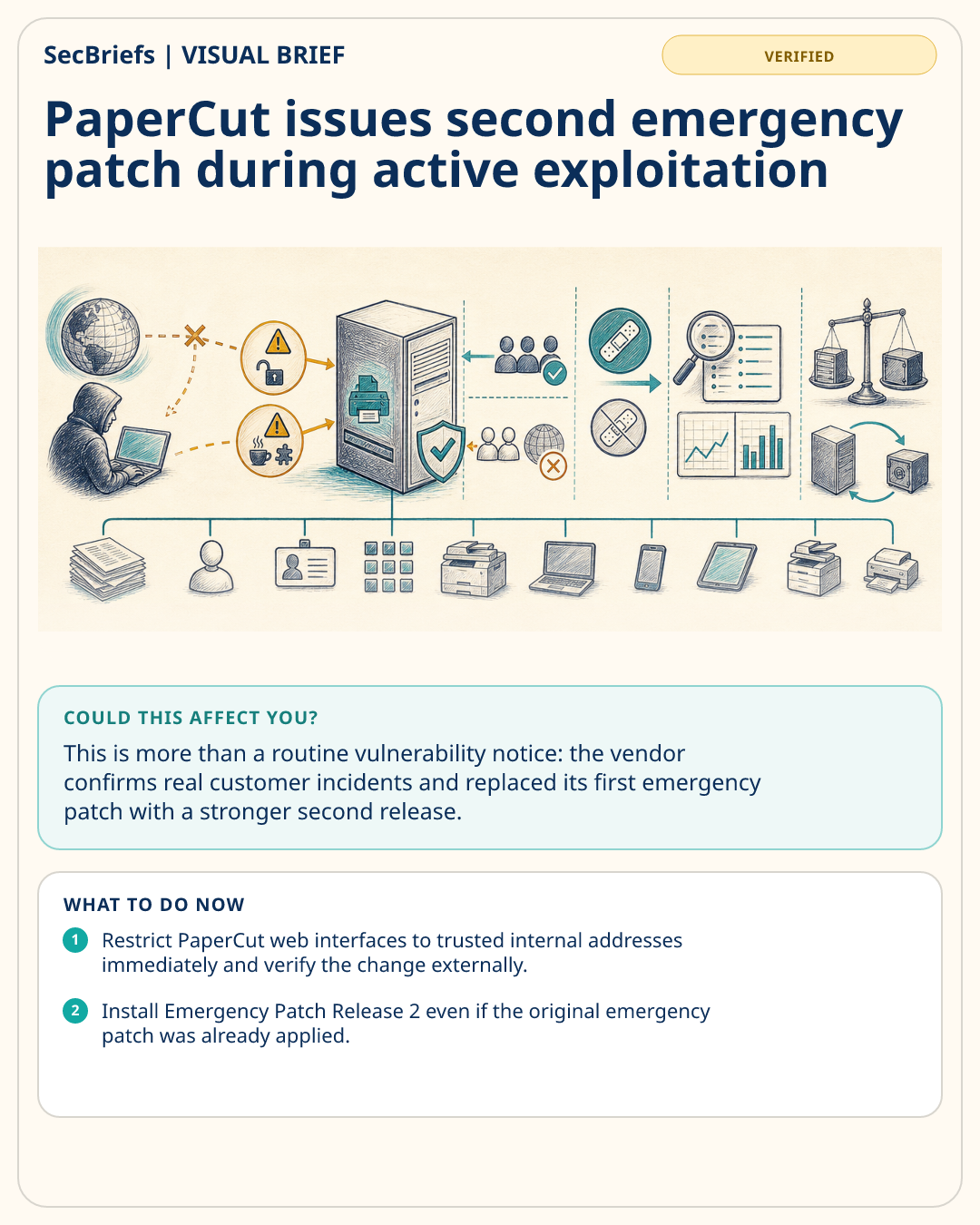
PaperCut has updated its urgent security bulletin after confirming active exploitation affecting PaperCut NG and MF and customer incidents. The company has now published Emergency Patch Release 2 for versions 24, 25 and 26, adding hardening beyond its first emergency fix and recommending that customers replace the earlier patch. The two disclosed vulnerabilities are CVE-2026-81578, an authentication-bypass issue that can let an unauthenticated remote attacker change some system configurations, and CVE-2026-82078, unsafe dynamic class loading that can lead to arbitrary Java code execution after configuration manipulation. PaperCut says all NG and MF versions are potentially affected. Its immediate advice is to restrict public access to trusted IP addresses and apply Release 2; organizations running version 23 or earlier should upgrade. The vendor also lists suspicious log conditions and server activity that may indicate compromise, while warning that their absence does not prove a system is clean. Suspected compromises may require rebuilding the application server from a known-good backup rather than relying on patching alone.
WHY IT MATTERS
This is more than a routine vulnerability notice: the vendor confirms real customer incidents and replaced its first emergency patch with a stronger second release. Print-management servers can be internet-facing, highly privileged and connected to documents, identity systems and many device types, making them useful entry points. Organizations must distinguish prevention from incident response. Installing the new patch reduces future risk, but it does not remove an attacker who may already have gained access. Exposure checks, log review and a rebuild decision should therefore happen alongside remediation.
WHO SHOULD CARE
Education, government, healthcare and enterprise IT teams using PaperCut NG or MF should act immediately, especially administrators of public-facing servers, managed print providers and incident responders.
WHAT TO DO NOW
- Restrict PaperCut web interfaces to trusted internal addresses immediately and verify the change externally.
- Install Emergency Patch Release 2 even if the original emergency patch was already applied.
- Check the vendor’s indicators, server logs and endpoint or network alerts for suspicious PaperCut server activity.
- If compromise is suspected, preserve evidence, activate incident response and rebuild from a known-clean backup as PaperCut advises.