Fake CAPTCHA campaign turns pasted PowerShell into a network tunnel
THE BRIEF
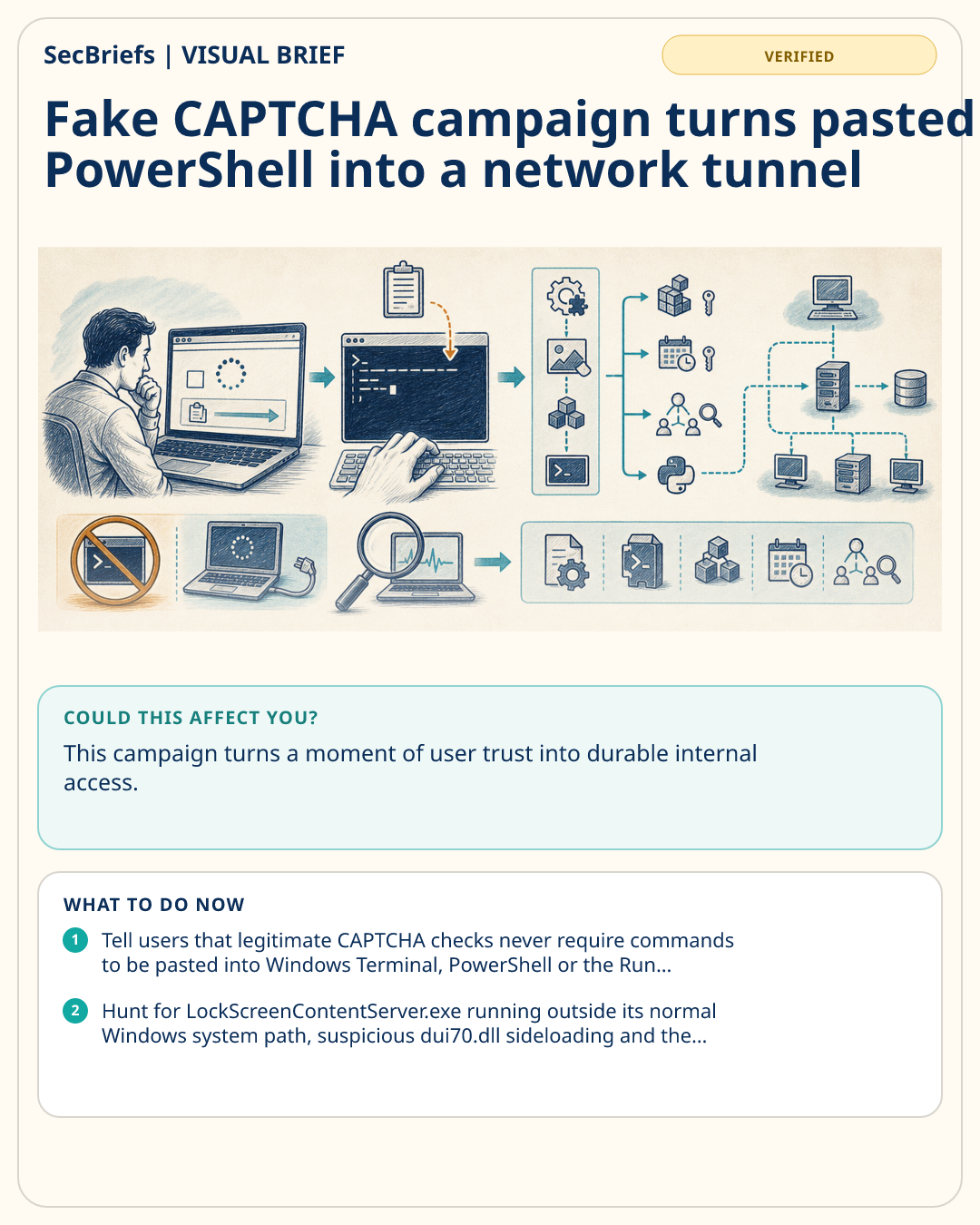
Microsoft Threat Intelligence has documented a TerminalFix campaign that begins with a familiar-looking but false Cloudflare verification screen on a compromised website. Instead of proving that they are human, visitors are instructed to open Windows Terminal or PowerShell and paste a command copied to their clipboard. Microsoft says that command downloads a multistage intrusion chain using DLL sideloading, payloads hidden inside PNG images, registry and scheduled-task persistence, Active Directory reconnaissance and a Python-based reverse tunnel. The tunnel can give an operator proxy access to internal systems visible from the infected computer. Microsoft did not report how many organizations were affected, identify the actor or say that ransomware or data theft followed in the analyzed cases. The immediate lesson is narrower and practical: no legitimate CAPTCHA should require a person to paste a command into a terminal. A computer showing this sequence should be isolated and investigated as a potential network pivot rather than treated as a routine malware alert.
WHY IT MATTERS
This campaign turns a moment of user trust into durable internal access. A single pasted command can move the incident from browser deception to credential exposure, directory reconnaissance and a tunnel into systems behind the perimeter. Because the initial instruction looks like a normal anti-bot check, ordinary awareness training may miss it unless examples explicitly include fake CAPTCHA and ClickFix behavior. The absence of reported downstream damage does not reduce the need for containment: Microsoft’s observed tunnel is itself a serious post-compromise capability.
WHO SHOULD CARE
Security operations, endpoint and identity teams, help desks, Windows administrators and employees who browse external websites should understand this pattern. Organizations with domain-joined Windows devices face the greatest follow-on risk.
WHAT TO DO NOW
- Tell users that legitimate CAPTCHA checks never require commands to be pasted into Windows Terminal, PowerShell or the Run dialog.
- Hunt for LockScreenContentServer.exe running outside its normal Windows system path, suspicious dui70.dll sideloading and the indicators published by Microsoft.
- Isolate any affected device, review Active Directory reconnaissance and lateral-movement evidence, and rotate credentials accessible from the host.
- Restrict PowerShell for standard users where feasible and enable script-block logging, application control and web protection.
- Review outbound encrypted WebSocket traffic and unexpected Python runtimes on user endpoints.
VERIFICATION NOTE
Verified through Microsoft’s primary threat research. The source page is dated 28 August 2026 and NewsBlur surfaced it early on 29 August. Microsoft did not claim victim counts, attribution or downstream ransomware in the analyzed chain.